
Remove TrueDEM components in an Organization
To discontinue our SaaS offering, please remove the following TrueDEM components from your environment:
- TrueDEM Manager App
- EntraID Enterprise Applications
TrueDEM Manager App
To remove TrueDEM from a Client PC, just uninstall the TrueDEM Manager. This will automatically remove the TrueDEM Agent from the System. Use the following msiexec command below and run it as an Administrator:
msiexec /x {1365178D-2BDC-4044-95D2-B96E5B9E95A7} /qn
The TrueDEM Manager and the TrueDEM Agent are gone immediately.
EntraID Enterprise Applications
Your EntraID currently has 4 enterprise applications that need to be removed.
- TrueDEM Api
- TrueDEM Agent
- TrueDEM EPM Portal <[ID: customerId]>
- TrueDEM Calls and Health (or for old Setups: EPM Call and Health Agent)
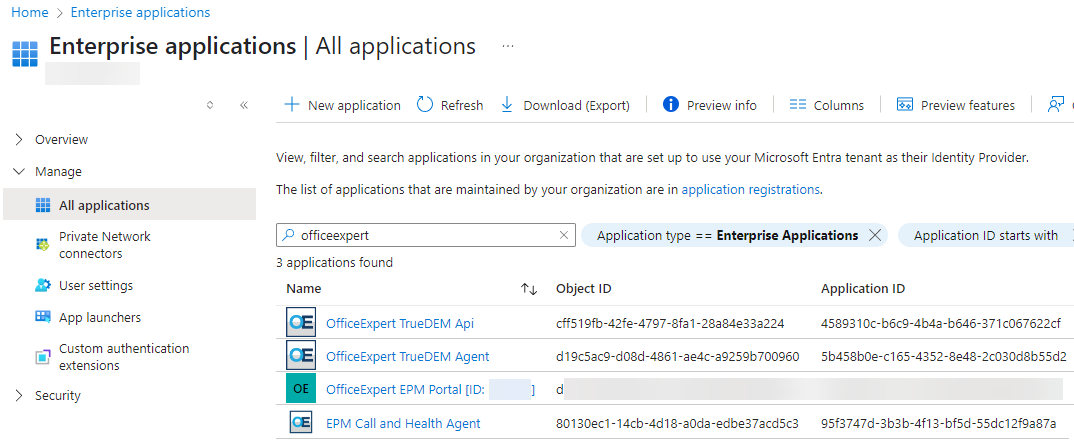
Just open each of them and click “Remove”.