
Customer location mapping via IP subnet (optional)
Improving Visibility and Network Context with Customer Subnet Data
In TrueDEM, without additional information, all networks will be identified by their Subnet information (IP address & range) for authenticated networks and by their ISP name for ‘home’ networks.
By uploading your organization’s subnet and building information to panagenda, you unlock significant enhancement in TrueDEM’s dashboards:
- Accurately identify internal (managed) network connections by name: TrueDEM recognizes when endpoints are connected within your corporate infrastructure.
- Provide valuable location context: The uploaded building and tenant subnet information allows you to more easily identify the physical network location of users during calls.
- Enhance troubleshooting and analysis: Being able to easily identify differences between calls made on various identifiable networks allows for more effective issue and cause identifcation
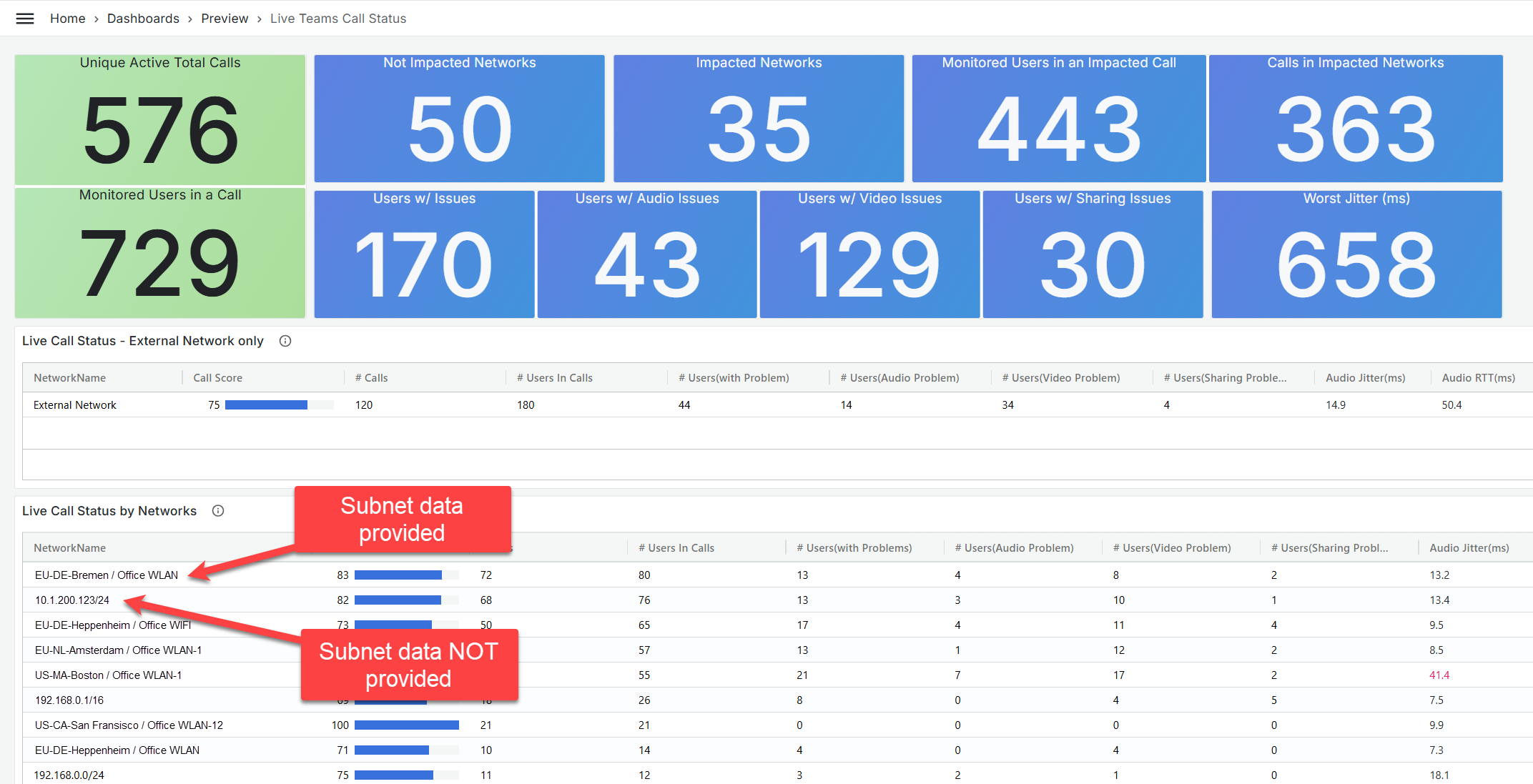
- Enrich dashboard insights: Dashboards like the “Teams Call List” and “Live Call Status” will display associated location/building and subnet details. This provides a richer and more actionable view, as illustrated in the example below (screenshot):
To leverage these benefits and gain deeper insights into your managed network performance within TrueDEM, please provide a CSV file containing your subnet and building information to panagenda using the following example .csv format:
NOTE: The CSV format matches that of the building data customers typically upload to Microsoft CQD. For more details, see: https://docs.microsoft.com/en-us/microsoftteams/cqd-upload-tenant-building-data